EPDS Telangana: FSC Ration Card Search, Status & TS Download
EPDS Telangana: FSC Ration Card Search, Status & TS Download

Welcome to EPDS Telangana Services! Access your Ration Card services, including applying for new FSC, checking application status, and downloading your Ration Card in PDF format on epds.telangana.gov.in.
EPDS Telangana offers a user-friendly digital platform for residents to access essentia
l services like applying for new ration cards (FSC), checking the status of existing applications, verifying details through Aadhar numbers, and downloading ration cards in PDF format.
This transparent and efficient portal ensures easy access to subsidized food grains for eligible families under the Public Distribution System (PDS). The system also allows users to track rejected applications, submit grievances, and ensures a smooth, accountable experience for the public. For more details or updates, visit epds.telangana.gov.in.
What is EPDS Telangana?
EPDS Telangana is a digital platform that streamlines ration card and food grain distribution in the state. It allows users to check FSC application status, download ration cards, and verify details using Aadhaar or reference IDs.
The portal enhances transparency by offering real-time access to beneficiary lists and food grain allotments. Designed for accessibility, it ensures eligible families receive subsidized food grains efficiently.
Quick Access Services on EPDS Telangana
FSC Search with Aadhaar
Step-by-Step Guide to Access and Download Ration Card in Telangana
Residents of Telangana can easily download their Food Security Card (FSC) from the EPDS Telangana portal. To quickly get your ration card, follow these steps:
Step1: Visit the Official EPDS Telangana Portal
Open the official EPDS Telangana website on your browser.
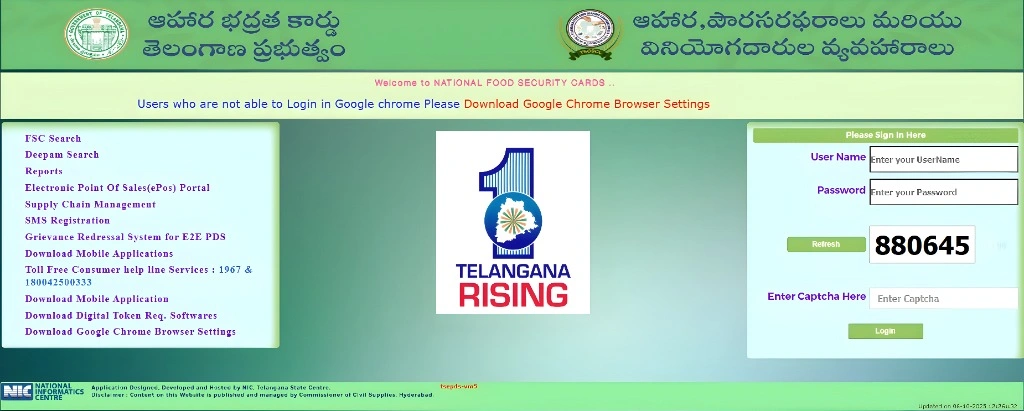
Step2: Navigate to the “FSC Search” Option
Look for the “FSC Search” link under the “Ration Card Related Services” section.
Step3: Select the Type of Search
Choose either “FSC Search” or “FSC Application Search,” depending on your preference.
Step4: Enter Your Details
Provide the required details like your FSC reference number, previous ration card number, or Aadhaar number, then click “Search.”
Step5: Download or Print Your Ration Card
Once your details appear, click “Download Ration Card” to save it as a PDF. Alternatively, you can click “Print” to get a hard copy for your use.
How to Check Your Telangana Ration Card Status
Checking the status of your Telangana ration card is simple and fast through the EPDS portal. Follow these steps:
Visit the EPDS Telangana Website:
Go toEPDS Telangana and select “FSC Search”.
Choose the Status Check Option:
Select “FSC Search” or “FSC Application Search” based on your need.
Enter Your Details:
Input your ration card number, FSC reference number, or Aadhaar number, then click “Search”.
View the Status:
The portal will show your FSC number, application status, and head of family name.
Comments
Post a Comment